See What Someone Likes on Instagram: Snoopreport vs FlagUp vs Manual Scrolling
A like takes half a second, but it says a lot. It shows which posts made someone stop scrolling, which creators they keep coming back to and which topics hold their attention. That’s why so many people, from gift shoppers to marketers to parents, want to see what someone likes on Instagram.
There are three realistic ways to do it today: scrolling manually, using a mobile app like FlagUp, or using a report-based service like Snoopreport. We put them side by side so you can choose the method that fits your goal. If you’re short on time, the comparison table further down sums it up, and you can always see what someone likes on Instagram with Snoopreport’s own walkthrough.
Option 1: Manual Scrolling
The free option is to search for the person’s likes yourself. You open public posts from accounts they’re likely to engage with, tap the list of likes and search for their username.
Pros
- Free and requires no sign-up
- Fine for checking one specific post
Cons
- Extremely slow; each post has to be checked by hand
- You only find likes on posts you guessed correctly
- No dates, no history and no patterns
Manual scrolling answers “did they like this post?” It can’t answer “what are they into?” It also gets harder every year, as people follow more accounts and posts collect thousands of likes that are tedious to search through one by one.
Option 2: FlagUp
FlagUp is an iOS app that tracks the likes and follows of Instagram accounts. According to its App Store listing, it shows who a profile liked, when and on which post, lists recent follows and can notify you when the profile follows someone new. It also includes tools for your own account, such as finding who doesn’t follow you back. The listing says no Instagram login is required and data updates daily.
Pros
- Likes and follows in one mobile app
- Notifications for new follows
- No Instagram login
Cons
- iOS only, built for quick checks on the phone
- No AI layer that interprets the data
- Subscription required for full features
Option 3: Snoopreport
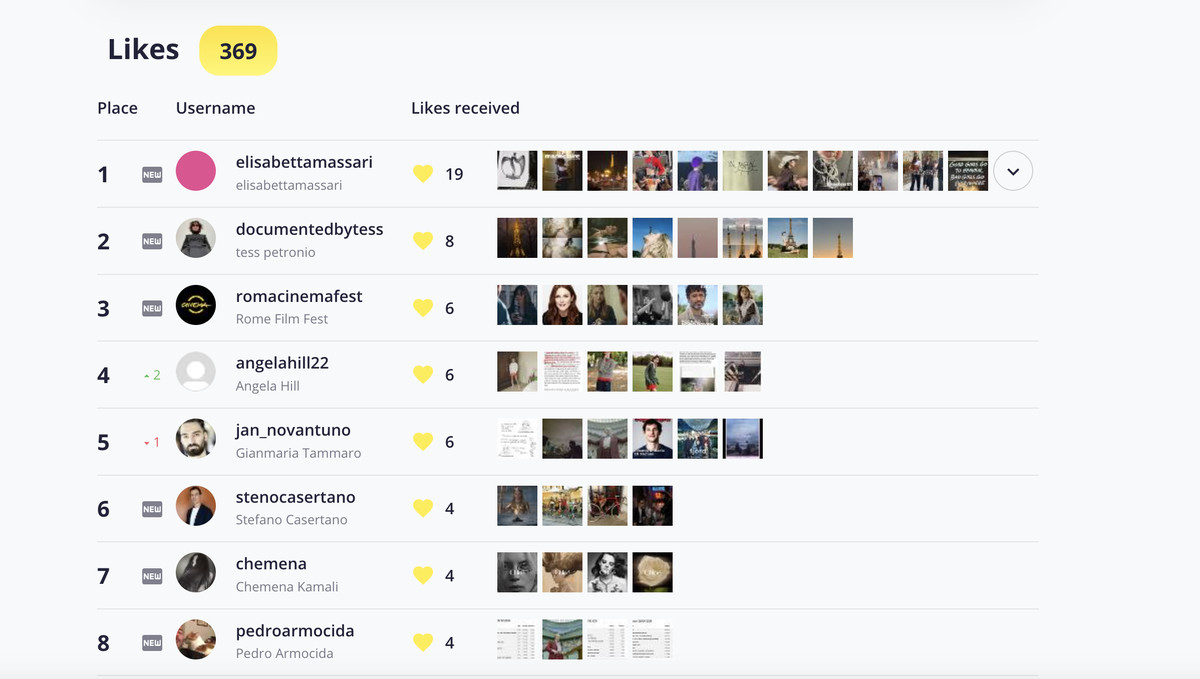
Snoopreport has been tracking Instagram activity since 2017 and has more than 500,000 users. Add a public profile, and it builds weekly or monthly reports with the posts and reels the profile liked, its new follows and unfollows, and the hours when it’s most active.
The highlight is the AI Summary. It analyzes all of that activity and describes the profile’s interests and habits in plain language, with practical ideas such as gifts or conversation starters. Instead of decoding a long list of liked posts, you read a short summary and dive into the details only when you need them.
Pros
- Likes, follows and unfollows in one report
- History you can compare week by week
- AI Summary turns activity into clear insights
- Works in the browser, with an optional iOS app
- Never connects to your Instagram account; from $0.99 a week
Cons
- Reports arrive weekly or monthly rather than as instant pings
- Public profiles only, like every legitimate tool
Comparison Table
Here is how the three methods stack up on the points that matter most when you want to see what someone likes on Instagram regularly rather than once:
| Manual scrolling | FlagUp | Snoopreport | |
| Shows likes | Only posts you check | Yes | Yes |
| Follows and unfollows | No | Follows | Follows and unfollows |
| History | No | Daily updates | Weekly and monthly reports |
| Interpretation | Your guesswork | Not listed | AI Summary |
| Needs your login | Your own app | No | No |
| Platform | Instagram app | iOS | Web and iOS |
| Cost | Free | Subscription | From $0.99/week |
What Likes Reveal, and What They Don’t
Likes are one of the most honest signals on Instagram, because people rarely think about who might see them. Tracked over a few weeks, they reveal:
- Real interests, including hobbies someone never posts about themselves;
- Favorite creators, visible as accounts whose posts they like again and again;
- Brands on their radar, which is gold for gift ideas and for marketers;
- Shifts in attention, when one topic fades and another takes over.
What likes don’t reveal is intent. A like can be a reflex, a polite gesture to a friend or genuine enthusiasm, and a single like can’t tell you which. That’s why patterns matter more than individual events, and why Snoopreport summarizes activity across weeks rather than highlighting isolated likes.
Getting Started With Snoopreport
Setup takes a few minutes: create an account on snoopreport.com with your email, add the public username you’re curious about, and wait for the first report. While you wait, the sample report on the website shows exactly what you’ll get. Once reports arrive, read the AI Summary first, then open the likes section for specific posts and reels.
Which Method Fits Which Goal
- One specific post? Manual scrolling is enough.
- Alerts on your phone? FlagUp is built for that.
- Understanding someone’s interests over time? Snoopreport’s reports and AI Summary are the better fit.
Whichever method you pick, give it a few weeks. Likes make the most sense in aggregate, and a month of data is far more telling than a single afternoon of scrolling.
A Note for Parents
Many parents want to understand what their teen sees and engages with. It’s a reasonable concern: according to Pew Research Center, roughly six in ten U.S. teens say they use Instagram. If your teen’s account is public, a likes report can show which creators and topics they’re spending time on, which is often a better starting point for a conversation than guessing. Keep in mind that private accounts can’t be tracked by any legitimate service, and that talking openly works better than monitoring alone.
Avoid the Apps That Ask for Your Password
When you search for ways to see what someone likes on Instagram, you’ll find apps that ask you to log in with your Instagram credentials, or that promise access to private accounts. Both are warning signs. Handing over your login can lead to a hijacked account or restrictions for suspicious activity, and no legitimate tool can see private profiles.
Both FlagUp and Snoopreport work without your login. Snoopreport keeps your account completely out of the process and builds reports only from public activity.
FAQ
Does the person get notified when I see their likes?
- No. Viewing public likes doesn’t trigger notifications, and Snoopreport doesn’t use your account at all.
Can I see likes from the past?
- Snoopreport builds history from the moment you add a profile, so the longer you track, the richer the picture becomes.
Can I check likes on reels too?
- Yes. Snoopreport reports cover liked reels as well as regular posts, so you see the full range of content a profile engages with.
How many profiles can I follow at once?
- Start with the few profiles you care about most. Reports stay easy to read, and you can add more once you know what you’re looking for.
Does Snoopreport access anything private?
- No. Likes on public posts are visible to anyone on Instagram. Snoopreport organizes that public information over time; it doesn’t access private accounts, messages or your own profile.
The Verdict
To see what someone likes on Instagram, manual scrolling is free but painfully limited, and FlagUp is convenient for alerts on an iPhone. If you want to actually understand someone’s interests, Snoopreport gives you the most complete picture: likes, follows, history and an AI Summary, with no login, from $0.99 a week. Try it at snoopreport.com.